Asterisk Integration - FreePBX
FreePBX is a web-based open-source graphical user interface (GUI) that manages Asterisk, a voice over
IP (VoIP) and telephony server. FreePBX is licensed under the GNU General Public License version 3,
with commercial modules available under their own licenses.
Pre-Requisites
The following guide assumes the following:
- You have a working FreePBX installation.
- Your FreePBX server is located behind a Static-NAT or has a public IP address.
- You are connected to FreePBX Asterisk server, using an IP Phone or a soft phone.
- You are familiar with managing and configuring your FreePBX server.
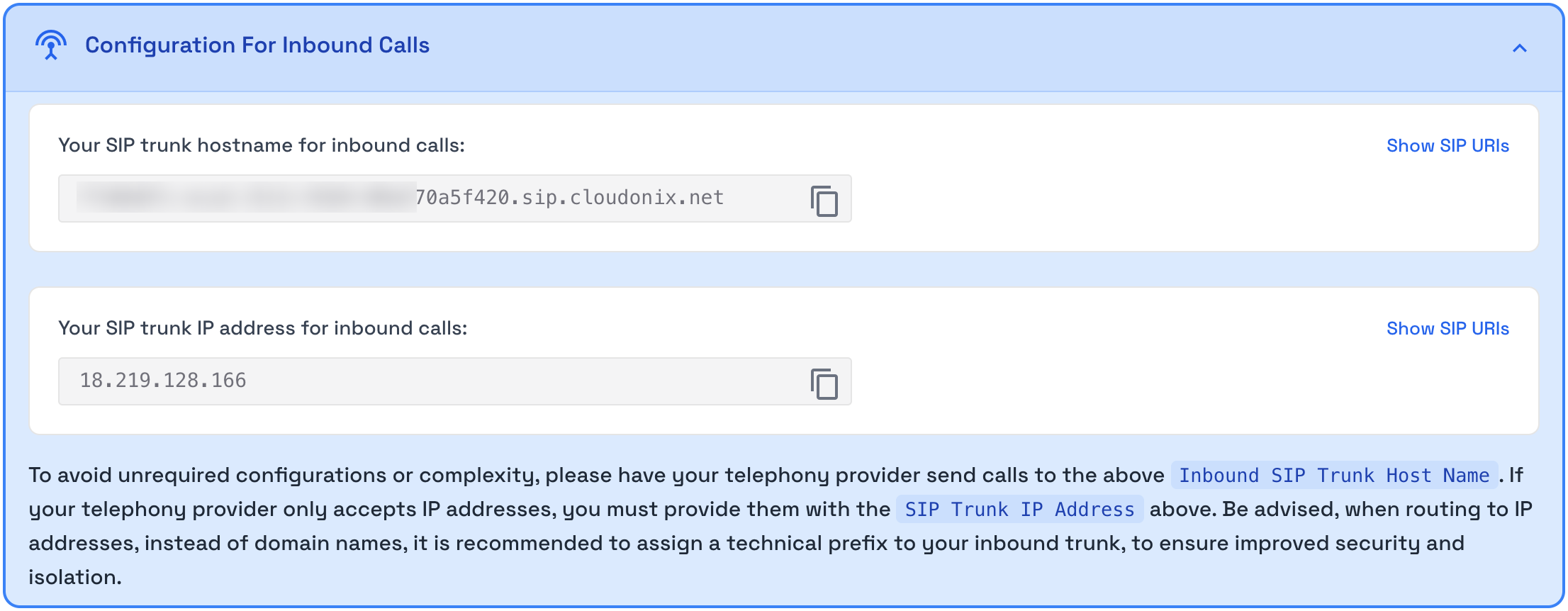
The following configuration is based upon your Cloudonix domain alias. You can retrieve your domain alias by logging into the Cloudonix cockpit and selecting Inbound Trunks - your domain alias will be visible in the Configuration For Inbound Calls panel at the top of the page.
FreePBX Setup
Based on your installation, select your SIP channel option from the below:
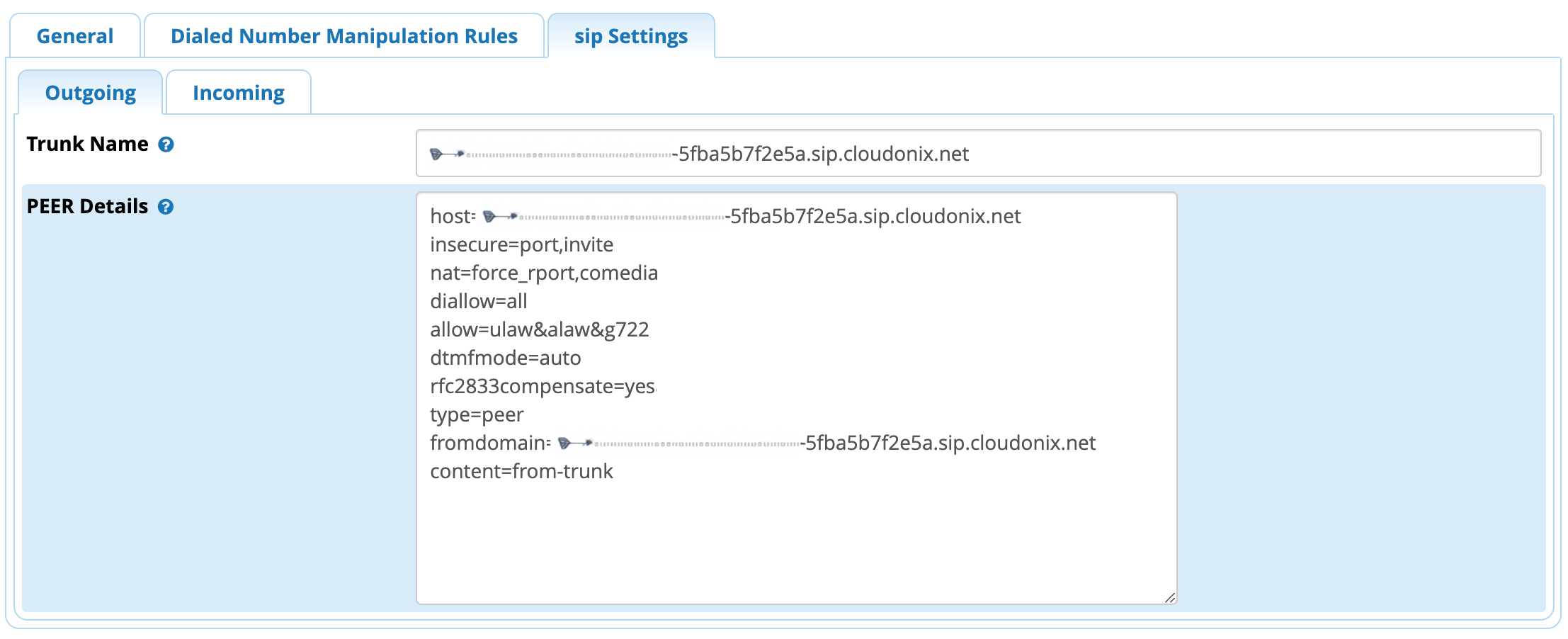
Configuring chan_sip
Notice the usage of the Domain Alias previously obtained in the relevant configuration parameters. This configuration
doesn't require an incoming configuration to be done in FreePBX.
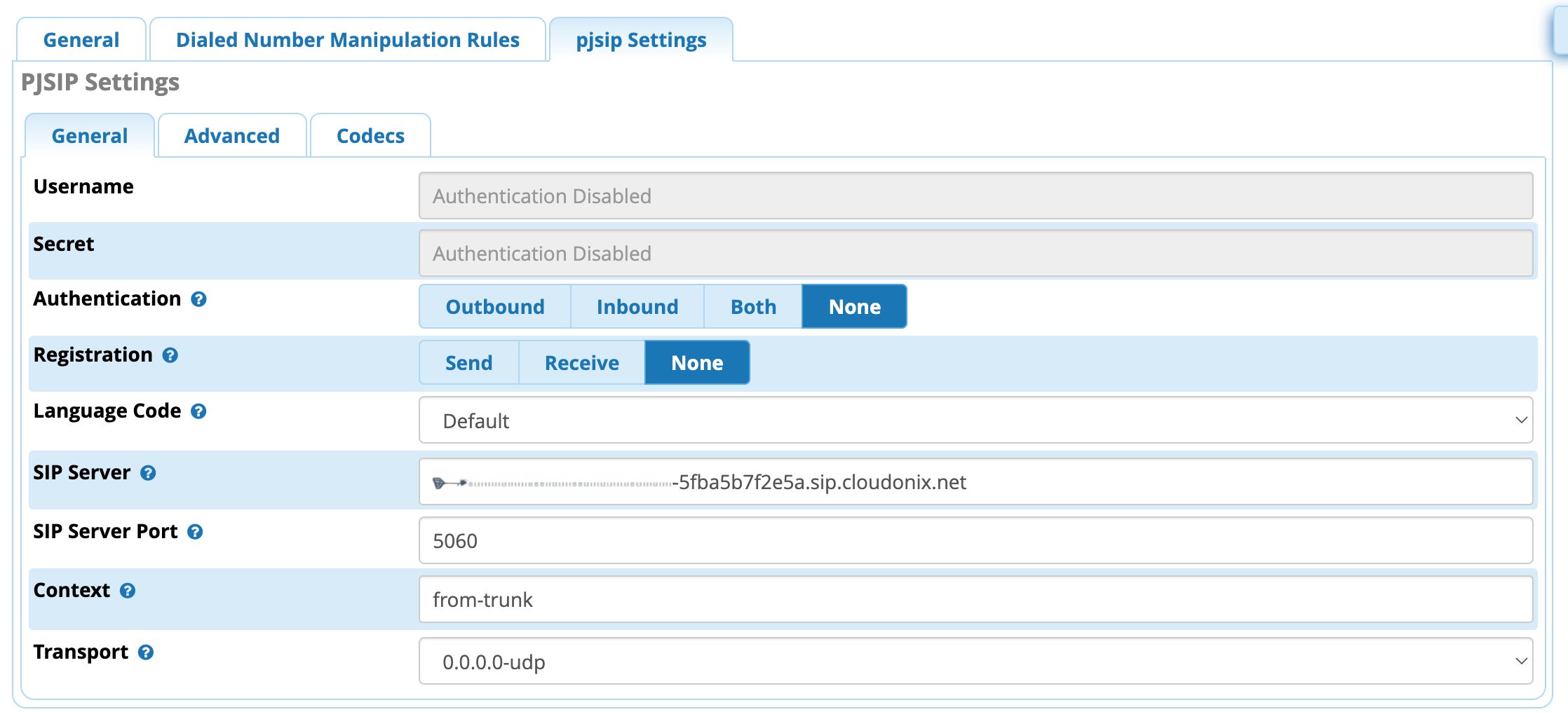
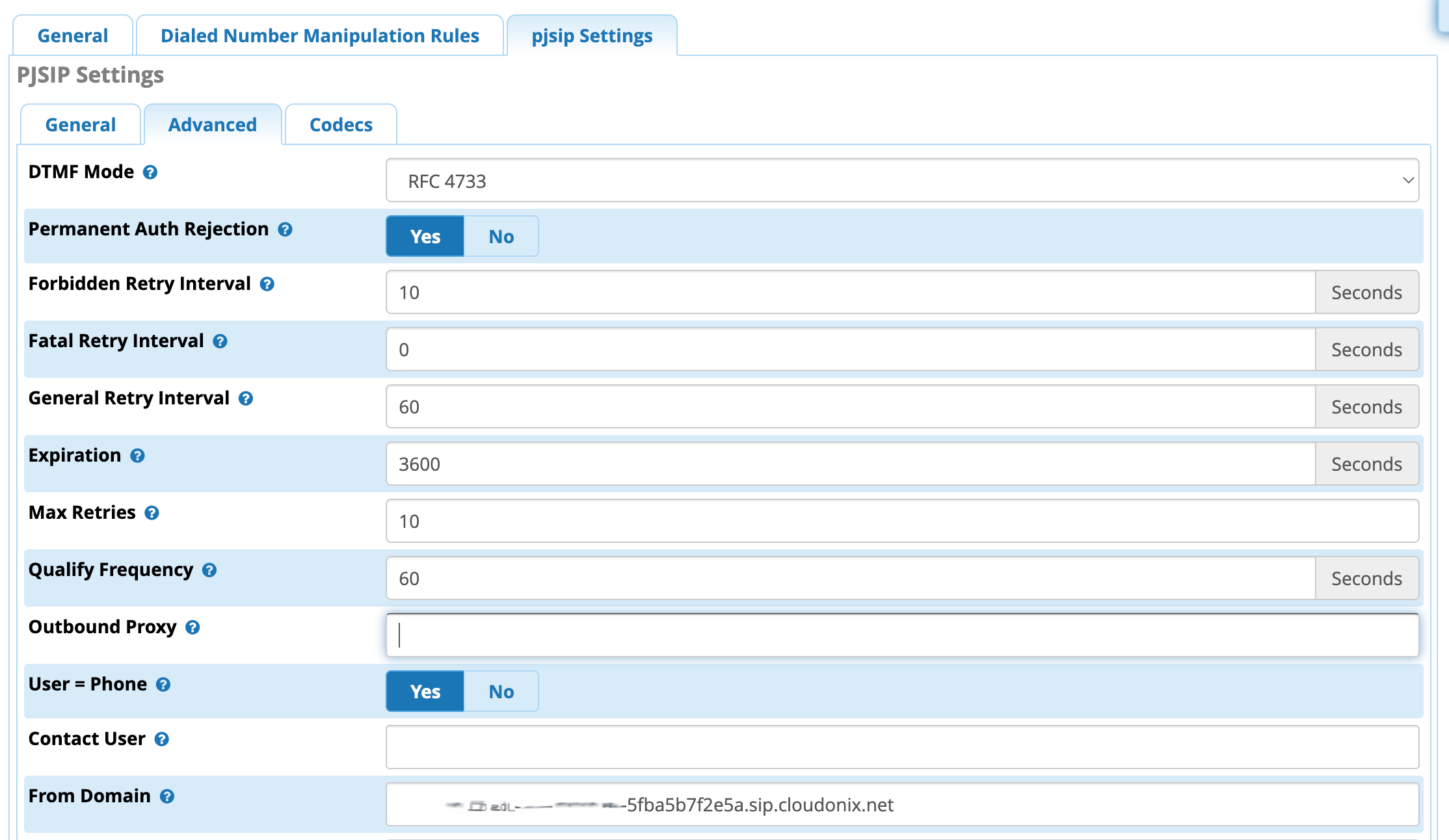
Configuring chan_pjsip
Notice the usage of the Domain Alias previously obtained in the relevant configuration parameters.
Cloudonix Setup
Logon to your Cloudonix cockpit account and select your desired domain. Once in the domain, click the
Outbound Trunks menu option, and click the Add Trunk button to create a new outbound trunk.
For the Host, use your Asterisk server static IP number assignment. Your Cloudonix setup should look like this:
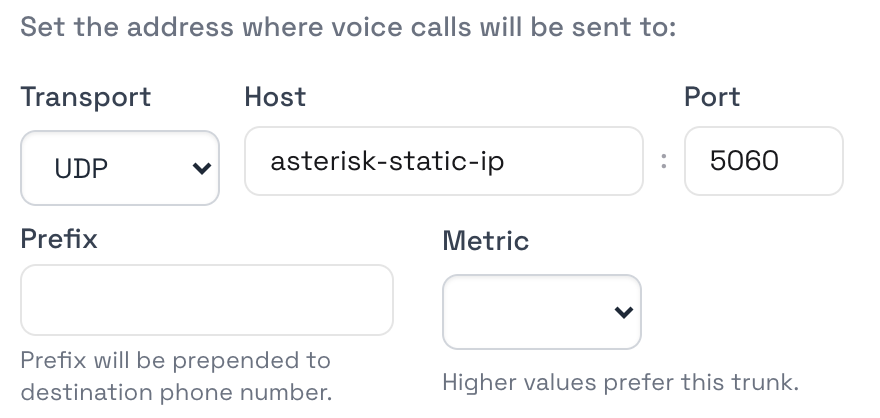
Click the Create button to save your Cloudonix outbound trunk configuration, and that's it, your Cloudonix domain is now connected to your FreePBX server.
FreePBX Derivatives
While FreePBX is the parent open source project, it had inspired various other open source projects, such as Isabel and PBXInAFlash. These projects use the same FreePBX core, and can be connected to Cloudonix in a similar fashion. If you're having issues configuring your specific Asterisk installation or distribution, please join our Discord community for additional assistance.